The platform

One script. Four modules. A closed loop.

Conversionloop is built around a single idea: the people who can tell you why your site underperforms are already on it. The platform gives you a structured way to ask them and a structured way to act on the answer.

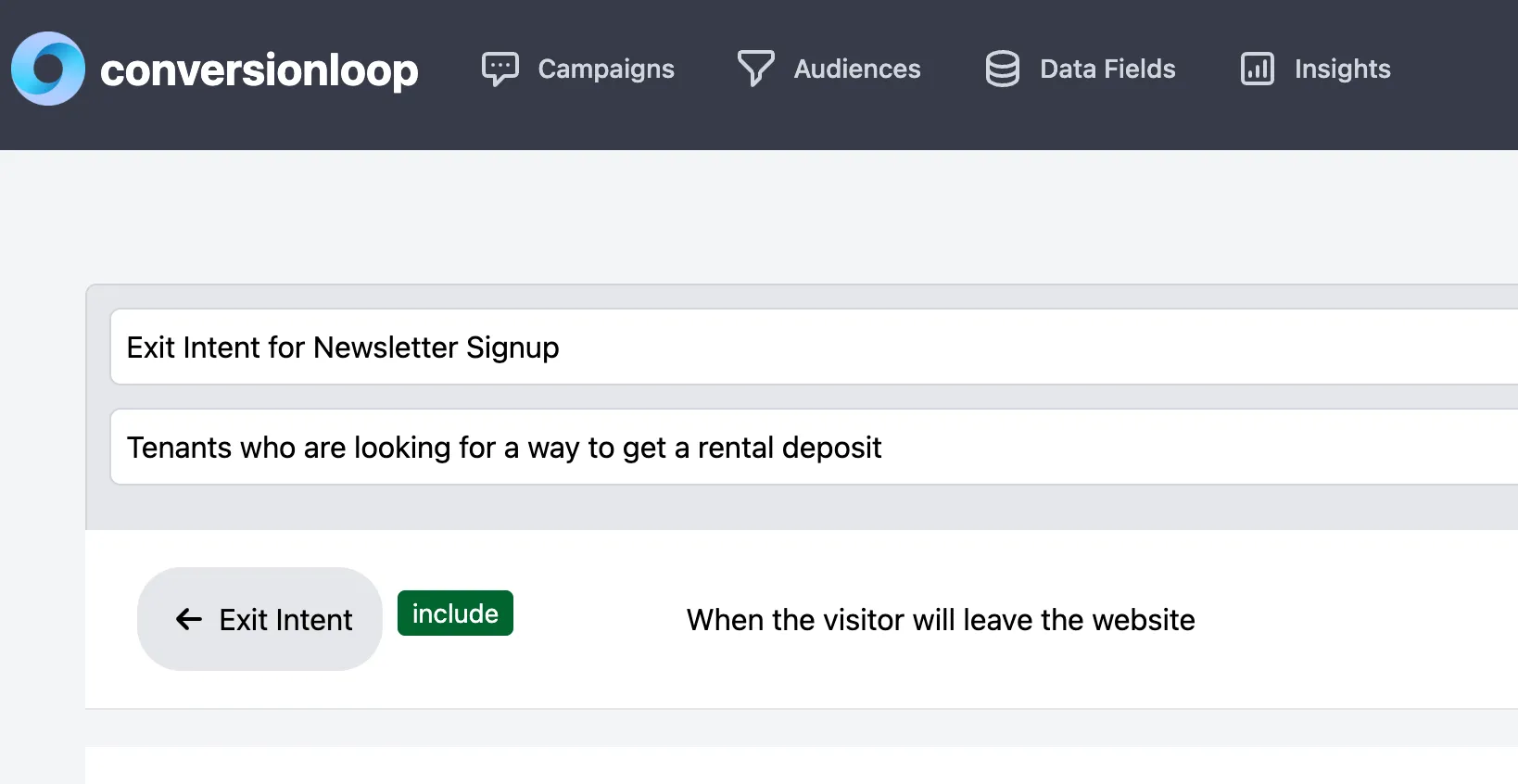
Conversionloop backoffice showing the audience builder with an exit intent condition

Modules

What you actually work with

Campaigns

Every campaign is a question asked at a specific moment to a specific audience. Run as many as you like in parallel — priority and frequency capping make sure a visitor never gets two at once.

  • Four-step wizard
  • Live preview
  • Frequency capping
  • Scheduling and date ranges

Audiences

Reusable segments built from browser signals, behaviour and your own data. Each condition can include or exclude, and conditions combine with AND/OR groups.

  • Behavioural + technical conditions
  • Include / exclude per rule
  • Reusable across campaigns
  • Live size estimate

Data Fields

Hand the engine values only you know — plan, cart value, logged-in state, CRM stage. Use them for targeting and keep them attached to every answer for analysis.

  • JS API and dataLayer bridge
  • Server-side fields on Scale
  • Typed values
  • Stored with each response

Insights

Response rates, answer distribution and conversion impact, broken down by segment. Export as CSV or pull it through the API into your own reporting.

  • Per-campaign reporting
  • Segment breakdown
  • CSV export
  • REST API and webhooks

Campaign builder

Campaigns in your style

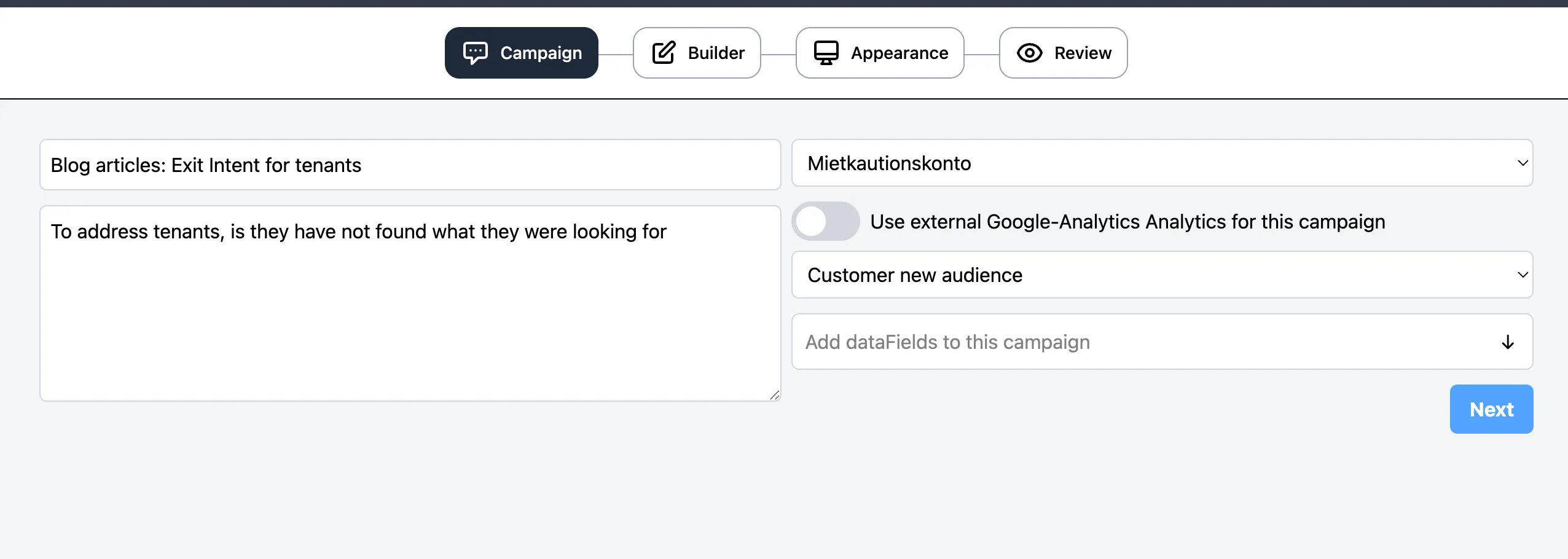
Four steps from idea to live. The builder adapts to your corporate design, so campaigns read as part of your site — not as something a growth team bolted on.

  1. 01

    Campaign

    Name the campaign, pick the project and the audience it should run against, and attach the data fields you want stored with every response.

  2. 02

    Builder

    Write the question and the answer options. Single choice, multiple choice, free text, rating or a plain call to action — whatever the moment calls for.

  3. 03

    Appearance

    Colours, corners, position and timing. The widget inherits your corporate design instead of looking like a bolted-on popup.

  4. 04

    Review

    Preview on desktop and mobile, check the segment logic, then publish. Changes go live without a deploy on your side.

Campaign wizard: Campaign, Builder, Appearance and Review steps

Engineering

Fast by construction, private by default

< 12 kB

Gzipped engine, loaded async. No render blocking, no layout shift, no jQuery.

0 third-party cookies

Segments are evaluated in the browser. Only responses and the signals you configured leave the page.

EU only

Application and data live on servers in Germany. DPA available on every paid plan.

Edge-cached config

Campaign configuration is delivered from a CDN and revalidated in the background.

REST API

Create, update and read campaigns, audiences and responses programmatically. Webhooks for every event.

Consent aware

Hooks into your CMP. If consent is missing, the engine stays dormant.

Close the loop on your traffic.

Install one script, launch your first campaign in minutes. No credit card, no dev ticket.